“Content Quality is the next frontier of performance improvement.”


We're still talking about AI, of course. I was at the User Experience conference in Lisbon last month and the conversation was navigating AI as user experience designers – defending our sense of truth against the impacts of AI. My biggest takeaway was the title of this newsletter:
"Content Quality is the next frontier of Performance Improvement."
What this means:
AI is a huge funnel, we have to be mindful of what we're putting into the top of it. Generating copy for visitors via AI creates the same sort of quality loss as re-saving an image over and over again. Text starts to sound the way an overshared Facebook meme looks.
Why this is actually good:
We've had clients concerned for years that "nobody reads anymore" and with AI search, the opposite is true. AI search results (versus bullet-point keyword search results) are contextualized and personalized, and potential customers are reading with more comprehension. So the investment you're making into your site copy – the homepage outline, collection page blurbs, product descriptions, meta descriptions, about page narrative, FAQs – is paying off more than ever.
Because a lot of search is moving to AI search
There are certainly some AI queries that are basically search queries, but many commerce related queries come higher up in the funnel: you have a vague idea of what you want, or know the problem you are trying to solve, and what you are looking for is help in refining that vagueness into a concrete product that you can purchase.
-Harley Finkelstein’s in Shopify's February earnings call
Now we're using the funnel metaphor for search in general, but the advice holds, that better content in the top results in more helpful results from the bottom.
Your site content is still the ultimate source of truth: the more helpful and harmonized that content, the more coherent the search results.
EU right of withdrawal
EU right of withdrawal compliance for merchants selling to EU customers
The EU has a new requirement that takes effect June 19th, 2026.
See Shopify's article on this new directive.
Shopify now lets you enable cancellation rules. When enabled, and within the cancellation window:
1. Customers can open the order status page
2. Click "Cancel items"
3. Choose which items to cancel.
4. Receive an email for confirmation.
5. The merchant sees the request.
6. Accepts / denies / marks it as resolved.
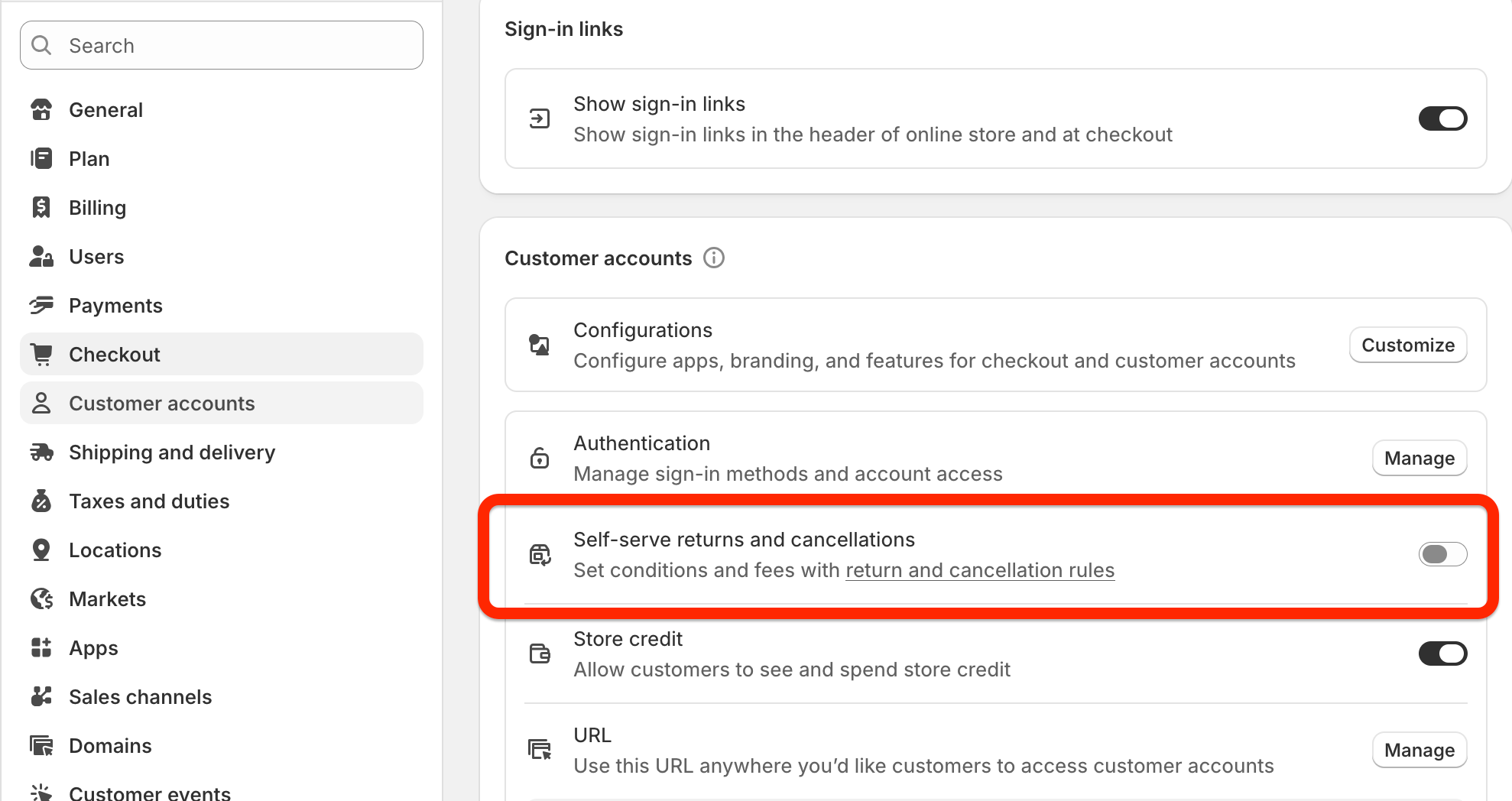
To set this up:
1. Settings > Customer accounts > Self-serve returns and cancellations > Enable both.
2. Settings > Policies > Return and cancellation rules > Enable cancellation rules and set your return window to at least 14 days.